My Lucky Train Guides Hub
A route through first carts, island ores, upgrades, rebirth, and Tier Tower.
My Lucky Train is a free Roblox simulation tycoon from Mr. Tuff Guy Games, released on 24 July 2026. You join a 5-player server, keep a personal train, and share an online island with whoever else loaded in. This Guides Hub is the table of contents for that loop. Open it when you know the goal — cash, a longer train, a rebirth, a badge — but not which article to read next.
The game is already live. Nothing here treats My Lucky Train as unreleased, and nothing here pretends you are alone on the island. Other players share the space even though the train you attach carts to is yours.
Day one: join, move, roll
If the tutorial is still on screen, start with getting started. That page is the first-session walkthrough: how to join from Roblox, what a 5-player server feels like, how to finish onboarding for the All Aboard! badge, how to pull the lever, how to attach the first carts, and how to start the ore loop without lighting every coin on fire.
Then read controls. Movement is standard Roblox (WASD or thumbstick, jump, camera, interact). The extra verbs are game-specific: lever rolls, cart attaches, island mining, smelting, selling, upgrade menus, the Cart Index, rebirth, and Tier Tower. Button labels can change between updates, so that page describes the actions rather than inventing keybinds.
Cash: ores, then upgrades
A pretty train does not pay for itself. You travel the shared island, collect ores, smelt them, and sell the output. That cash funds more rolls, cart and train upgrades, production upgrades, and later railways and areas. The full loop lives on ores and smelting. Use it when inventory fills with the wrong rocks, when the smelter sits idle, or when you are not sure whether to stay on the island or return to the lever.
When cash actually arrives, the next fork is upgrade what you have versus roll something new. upgrades covers carts, train, and production. Pair it with the getting-started note on spend order. If production cannot keep up with the ores you already carry, upgrade the line. If the train is short and rolls are affordable, pull the lever and attach. If both feel fine, save toward the next railway or your first rebirth instead of clicking every button that lights up.
Collection: index and ranking
Each unique cart does two jobs. It lengthens the train you run, and it fills the cart index. Completing that index is Master Collector, a badge held by about 0.2% of players. Use the index as a gap log. Use the carts tier list when you must choose which attached carts deserve upgrade cash. This hub does not invent cart names. If a cart is missing from the index and the tier list, do not guess its rarity from a blurry screenshot.
Legendary Discovery is the badge for rolling a Legendary-or-better cart. About 24.5% of players have it. That is a collection milestone, not a reason to skip ores. A rare cart with nothing to haul still leaves you poor.
Prestige and challenge space
When a session of mining, smelting, and upgrading no longer moves the needle, open rebirth. A Fresh Start is the first-rebirth badge; roughly half of players have earned it, so the first reset is a normal part of the tycoon, not a secret ending. That guide explains the usual Roblox tycoon pattern — some progress resets, lasting boosts remain — without fake multipliers. Confirm the in-game rebirth panel before you accept.
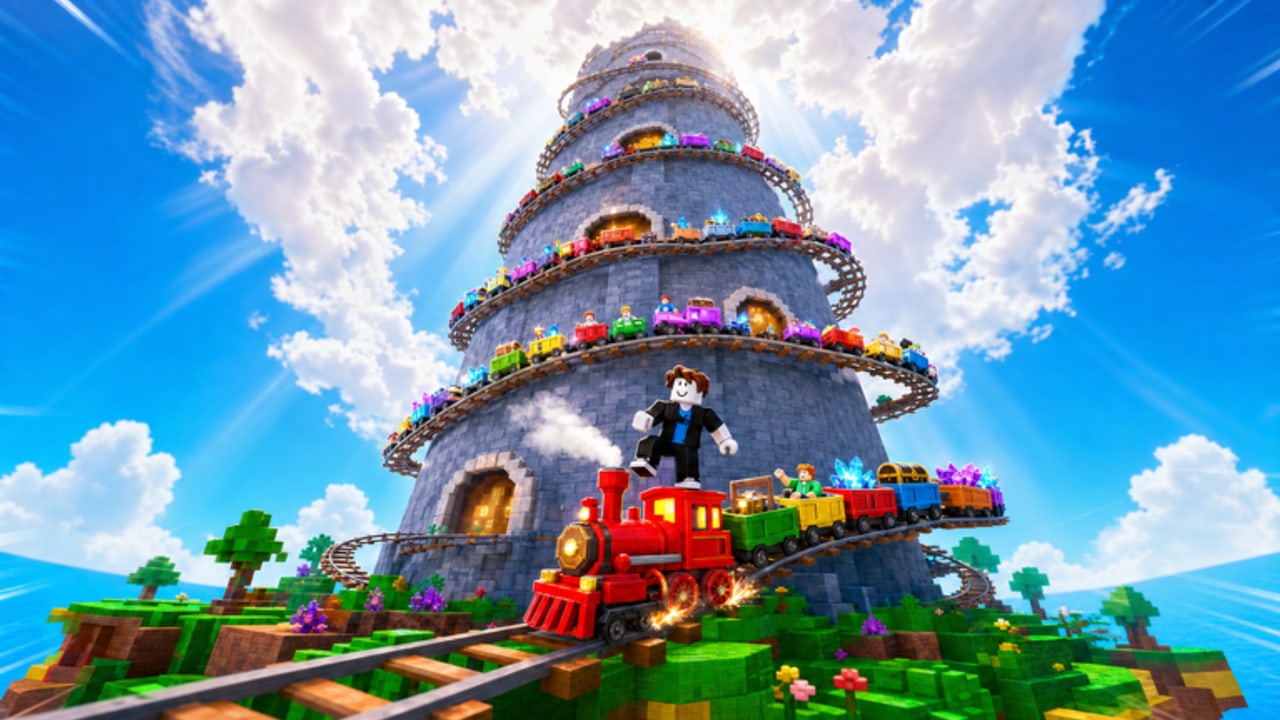
tier tower is the climb after the early loop is stable. Towering Ambition is the badge for unlocking Tier Tower 3, held by about 0.8% of players. Treat the tower as challenge content, not a first-hour stop.
For a scoreboard of what those unlocks mean, use badges. The confirmed set is All Aboard! (tutorial), A Fresh Start (first rebirth), Towering Ambition (Tier Tower 3), Legendary Discovery (Legendary-or-better cart), and Master Collector (full Cart Index).
Map, idle, and whether to stay
Once the first-hour verbs are automatic, three extra guides fill gaps this hub used to bury in one sentence. Offline progress is the official AFK: the personal train keeps working while you are away. Railways is the map layer: bigger track, new areas, and why Tier Tower is late. The game review is the honest “should I play” page, including the September 2026 visit and like snapshot.
The PC nav only lists eight guide rows. Extra titles live here on purpose. Open this hub when a dropdown stops at Cart Index.
Codes
Promo codes, if they ever exist, are listed on codes. There are no confirmed working codes as of 5 September 2026. Check that page before you stand in front of a redeem box typing guesses. Dated stamps sit on the changelog.
Suggested reading order
- Getting started, then controls.
- Ores and smelting until you can fund a few upgrades.
- Upgrades plus more lever rolls.
- Cart Index as a collection log.
- Offline progress as the log-off ritual.
- Railways when the island circuit feels small.
- Rebirth when the current loop stalls.
- Tier Tower after the train is worth taking into challenge space.
- Review if you still have not decided to stay.
- Badges as a check, not a required order.
You do not need every article in one sitting. The official description is clear that your train keeps working while you are away, so a short focused session plus offline progress beats a confused marathon.
This hub will not list invented ore names, cart names, prices, or keybinds. When railways, index entries, or codes are added for real, the child pages update first and this page stays the map. Keep one economy guide and one collection guide open while you play so cash goes to a plan instead of the nearest glowing prompt.
Frequently Asked Questions
Quick answers to the most common questions.
Which guide should I open first in My Lucky Train?
Start with getting started if the tutorial is unfinished or your train has no carts yet. Read controls next if movement or prompts feel unclear, then ores and smelting once you need cash.
Is My Lucky Train single-player?
No. Servers hold 5 players. Your train is personal, but the island is shared online. Play as if other people can see the same ore nodes and tower space you can.
Where do I look up carts, rebirth, and the tower?
Collection is cart index plus the carts tier list. Prestige is rebirth. Challenge climbing is tier tower. Badge conditions sit on badges.
Are there working promo codes?
None are confirmed. Check codes before you spend a session typing guesses. This hub will not invent codes.
When should I leave the beginner pages?
After you can roll, attach, mine, smelt, and sell without thinking. Then upgrades, offline progress, and railways matter more than repeating the tutorial.
Why are some guides missing from the top nav dropdown?
The header shows at most eight rows per category. Offline progress, railways, and the review stay on this hub plus View all.